Better Loading States for AI Apps
fun-loader is a tiny (~3 kB) web component that turns dead-air loading states into short, rotating messages for AI apps and other slow tasks.
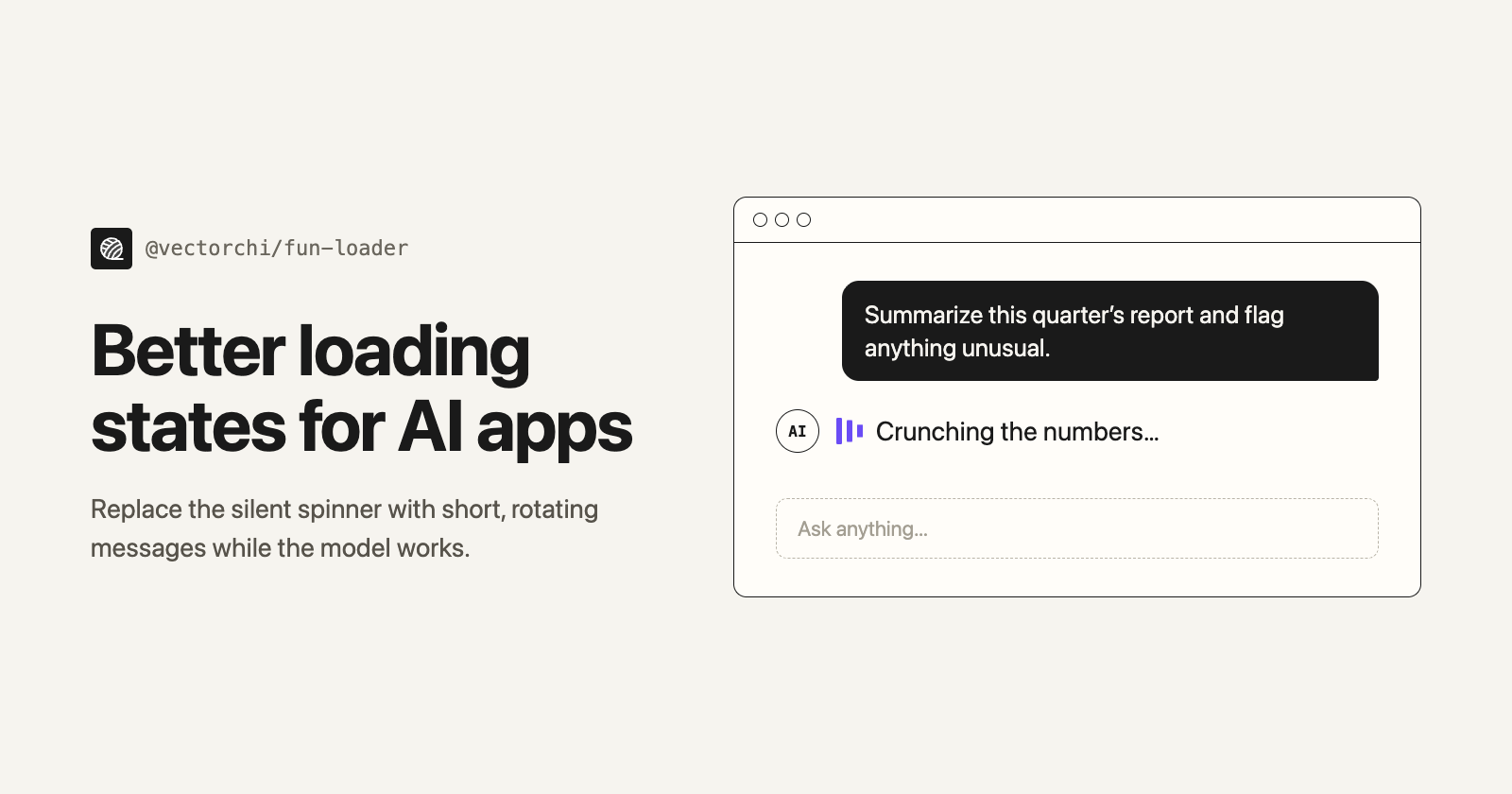
You click "Generate". The model starts working, and the UI shows a spinning circle. Ten seconds later it's still spinning. At thirty seconds you start to wonder whether the request died. The spinner can't tell you either way.
The idea came from Claude Code. While it works, it doesn't show a bare spinner: it shows playful, ever-changing status words like "Pontificating…", and I noticed I actually read them. The wait felt shorter, and the tool felt more alive. Most apps I use, including ones with AI features, still show the same silent spinner.
So I built fun-loader: a small web component that brings that idea to any web app, filling the wait with short, rotating messages like "Connecting the dots…", "Compiling thoughts…" or "Crunching the numbers…".
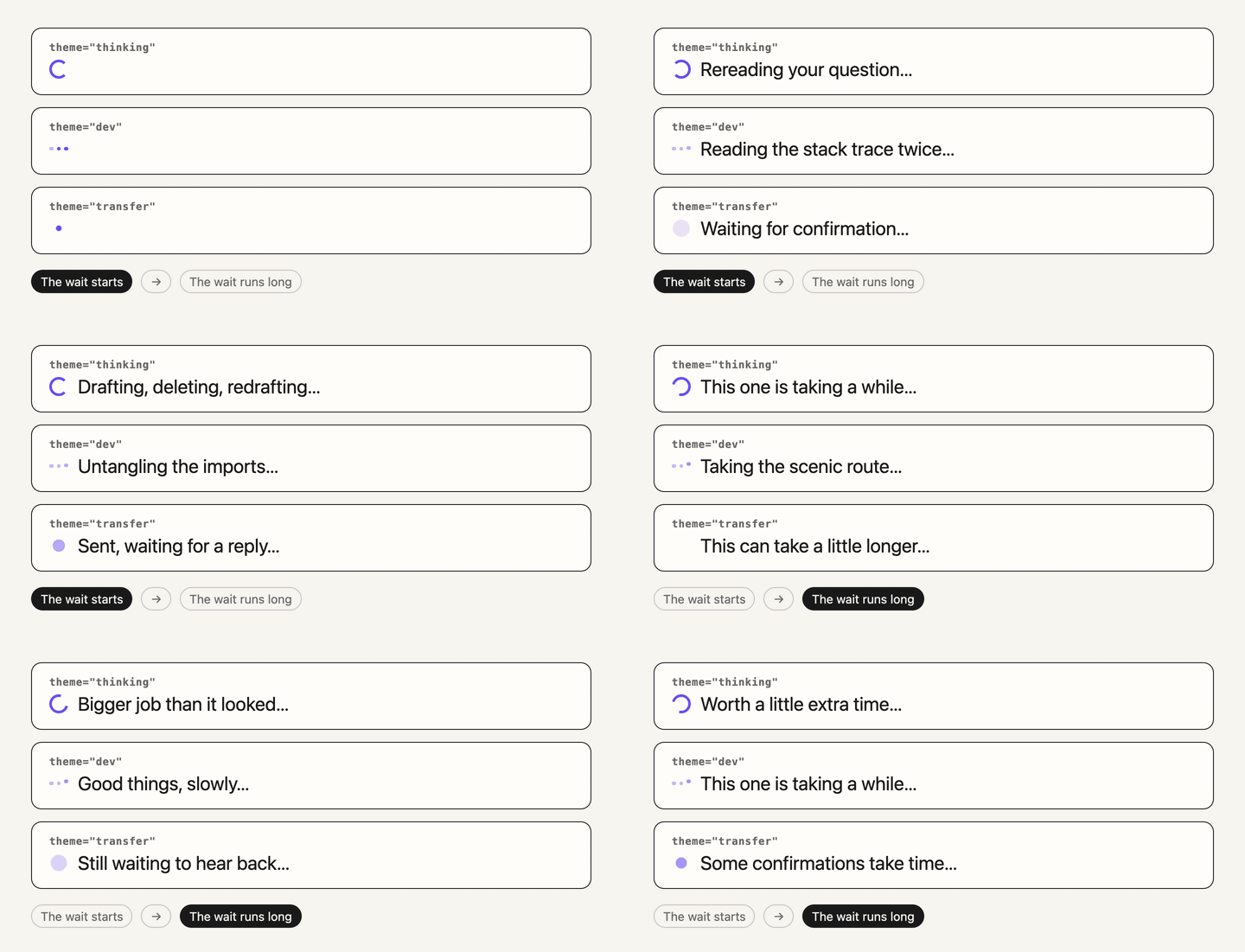
It's about 3 kB minified and compressed, has no dependencies, works as a standard custom element, and comes with React and Vue components.
Why bother?
Loading states are the quiet part of a product. They're usually an afterthought: add a spinner, ship it, move on. But when a wait runs past a few seconds, as it often does with LLMs, a spinner becomes dead air, and people start to doubt that anything is happening.
A short rotating message helps in three ways:
It shows that work is still going on.
It gives people something light to read instead of watching the clock.
It makes the product feel considered.
When to use it (and when not to)
fun-loader is for open-ended waits that usually take a few seconds or more: an LLM response, image generation, a report, a payment.
For waits under a second, a plain spinner is fine. Rotating text would only flicker.
When you know the actual progress, such as a file upload, use a progress bar. It's more honest than any message.
Installation
With a bundler (Vite, webpack, Next.js and so on):
npm install @vectorchi/fun-loader
import '@vectorchi/fun-loader'; // registers <fun-loader> and every theme
Or with no build step, from a CDN:
<script src="https://cdn.jsdelivr.net/npm/@vectorchi/fun-loader@0.3"></script>
Basic usage
Plain HTML
<fun-loader theme="thinking"></fun-loader>
React / Next.js
import { FunLoader } from '@vectorchi/fun-loader/react';

{isLoading && <FunLoader theme="art" icon="sparkle" />}
It works in React 18 and 19, and in Next.js you can render it straight from a server component.
Vue
<script setup>
import { FunLoader } from '@vectorchi/fun-loader/vue';
</script>

<template>
  <FunLoader v-if="loading" theme="dev" shuffle />
</template>
Show it while you wait, and remove it when the result arrives. Removing it also stops its timer.
Themes and options
There are eight built-in themes:
thinking(default): chat and general AI answersdev: code generationdesign: design and layout toolsart: image generationfinance: reports and dashboardstransfer: payments and money transferskitchen: anything playfulcalm: long waits
You can also:
pass your own messages,
pick one of five animated icons, or none,
shuffle the order or change the pace,
style it with CSS custom properties and
::part().
Accessibility is built in. Screen readers hear one short label ("Loading" by default) instead of every rotating phrase, and with reduced motion turned on, the movement is replaced by a gentle fade.
Where it helps
AI and LLM interfaces
This is the obvious one: show something better than a blank spinner until the first token arrives. For streamed responses, remove the loader when the first chunk lands, because from then on the growing text is the progress indicator. The docs include a short guide for this.
Payment and transfer flows
People are anxious while their money is moving, so the transfer theme is deliberately calm: "Checking the details…", "This can take a few seconds…", "Almost there…". It also never claims a specific step, such as "Verifying recipient", because the loader can't know which step your backend is really on, and in a payment flow a message like that would be misleading. If your flow has real stages, pass your own messages that match them.
Reports and data processing
Anything that reliably takes a few seconds benefits from a little context.
Internal tools
The dev and design themes work well in admin dashboards and ops tools, where people look at loading states all day.
A few design notes
I kept the surface area small on purpose. There's no animation library and no configuration object, just a custom element that does one job.
The messages are short and a little informal. They shouldn't read like marketing copy, more like a product chatting quietly while it works. And when the built-in themes don't fit, you can pass your own list and the component stays out of the way.
Try it
Docs and live playground: vectorchi.github.io/fun-loader
GitHub: github.com/VectorChi/fun-loader
If you've been shipping the same spinner for years, this is a small upgrade: swap it in, pick a theme that fits the moment, and give people something better to look at while they wait.
Comments
Join the discussionNo comments yet. Be the first to comment.